Native Windows desktop testing is now live

One of your most requested features is now live: Fully parallel E2E testing for native Windows desktop applications.

Simply select Windows as the test target while writing a new flow (or tell the QA Wolf agent) and our infrastructure handles the rest: provisioning a clean Windows machine, delivering the app, and recording the run.

One test-authoring API

Windows flows follow the same test-writing conventions as QA Wolf’s web, iOS, and Android flows, so you can use a familiar structure across platforms to launch the app, find a control, interact with it, and assert the result.

import { startApp, expect } from "@qawolf/flows/windows";

// Illustrative: replace the path and accessibility IDs for your app.
// The executable must already be delivered to the Windows VM.
const app = await startApp("C:\\qawolf\\apps\\Example.exe");

// Find native controls by their accessibility IDs.
const nameField = await app.$("~NameField");
const saveButton = await app.$("~SaveButton");
const status = await app.$("~StatusMessage");

// Interact with the app, then assert the result.
await nameField.setValue("Example project");
await saveButton.click();
await expect(status).toHaveText("Project saved");

Support for custom disk images

Windows runners support .exe, .msi and .msix installers, and they come pre-loaded with standard software like Adobe Acrobat and Google Chrome. If your app has specialized dependencies, you can add a custom image in a private pool restricted to your workspace.

Clean, parallel runs watchable in real time

Each test gets its own Windows VM that’s destroyed after a single run, so there’s no cross-contamination from files, settings, or saved logins. Because VMs are pre-booted and ready for a test, runs start in seconds — and just like all QA Wolf tests, you can watch the run live through the platform your coding agent, or review the recording later.

Run cross-platform flows

Windows tests also work with Run Rules so if you have workflows that span a desktop, web, and mobile app (e.g., scan a document with your phone and view as PDF on desktop) you can tell QA Wolf when to start each test and what data to pass between them.

Watch tests run in real time

Before today, if you wanted to know what was happening during a run or why a run was hanging, you had to wait for the logs and video playback. Not anymore. Now you can watch the run as it happens — live and in living color!

When tests get stuck and quietly burn towards a timeout, they hold up the rest of the suite and delay your release. Instead of endless waiting, now you can see exactly what’s holding up your QA cycle: maybe there’s an animation that isn’t finished, or a slow API response; maybe the whole dang environment is wedged. And, if necessary, you can kill the run in progress and start over.

This isn’t just user quality of life stuff either. We’ll be giving our AI access to the live runs too, so it can intervene with the browser or device and prevent tests from flaking. Follow along for more on that later this year.

If you’re interested, read about what went into this change (it’s not as easy as it looks).

Your coding agent can now use the QA Wolf MCP

Our MCP server is live and ready to use inside the agentic coding tool of your choice, including Codex and Claude Code.

Now when your coding agent says the PR is done and bug free, you can get a second set of eyes to run through your end-to-end test suite.

Put testing on autopilot

Your local coding agent already knows what changed, which files are involved, and what the feature is supposed to do. Through MCP, it can pass all of that context to QA Wolf instead of starting a test run cold.

Once QA Wolf has the context, its specialized skills and subagents can:

  • Find the test coverage that already exists for the feature.
  • Create new coverage or update what’s there.
  • Run the tests and validate the results.
  • Investigate failures.
  • File bug reports with repro steps, video playbacks, traces, and logs.

QA Wolf passes the results and failure data back to your local agent. Because the agent still has the codebase and the original task in context, it can use that evidence to debug the problem, make a fix, and send the new version through the same loop.

Move between QA Wolf and your local code

Through MCP, your coding agent can manage flows, runs, environments, issues, and interactive runners in the QA Wolf platform. It can also ask a QA Wolf agent to create and run tests.

When a task needs local source files or local execution, your coding agent can use the QA Wolf CLI. MCP and the CLI provide access to the same QA Wolf capabilities, so the agent can pass code context to QA Wolf, get the test results back, fix the problem locally, and run the tests again.

Try it now

The QA Wolf MCP server is available now for Codex, Claude Code, and other MCP-compatible agents. Connect your workspace and put your QA process on autopilot.

Connect QA Wolf to your coding agent

Automation AI: Test at the speed of AI development

E2E testing always lags behind development, creating an obstacle for teams that want to release quickly. If you’re going to take advantage of agentic development to ship faster you need an AI that can automate testing quite literally as you build.

Introducing: Automation AI from QA Wolf. Available now to all users.

Two ways to get automated tests

From a prompt: Simply describe the flow you want tested and the agent will get to work. After walking through the flow manually, it’ll write deterministic Playwright code. As it works, the agent continuously runs and fixes the Playwright until there’s a passing test that’s ready to merge into your suite.

From a feature: Deploy your PR to a preview environment and ask QA Wolf to add tests for your new feature.

Bulk automate whole suites in minutes

The Automation AI can automate 10 tests at a time running concurrent sessions to get you a working test suite in no time flat.

Deterministic tests for an agentic world

Tests only work if they do the same thing every time. Computer-use agents don’t: they look at the screen and decide what to do next on the fly, so the same test can take a different path from one run to another. Then you’re left wondering whether your product broke or the agent just behaved differently. You’ve basically gone back to manual testing.

We use AI to generate deterministic code. The agent writes open-source Playwright code you can read, run, and verify. It’ll run the same way every single time, and you won’t be locked into someone’s proprietary framework.

Beats Claude Code, Codex, and Playwright MCP

Any coding agent can build a simple login test, but your application needs complex tests that  manage changing data, navigate dynamic interfaces, and coordinate multiple users to verify that the product actually did what it was supposed to do.

Our agent evals are developed from hundreds of real world applications, thousands of tests, and 80 million minutes of test runs. Unlike off-the-shelf coding agents, our agent can automate tests for Canvas applications, Chrome extensions, multi-factor authentication, iFrames and pretty much anything else.

Know thy app: Map all your workflows with AI

Every good test suite — one that clears releases quickly and accurately — starts with a comprehensive map of your application. Every time you change a workflow or release a new feature, that map needs to be updated to maintain full coverage. 

That’s where our Mapping AI comes in. It explores your app on its own and builds a structured list of test cases in minutes, so you know exactly what needs to be tested before you write a single line. 

Point the Mapping Agent at your app and watch it build out your complete coverage map with plain-English outlines of tests in the AAA format. 

Of course, you know your product better than anyone—if there’s something specific you want covered, just say so, and the agent will make sure it’s in there. Feed it your product requirements, help docs, or test plans and it’ll use that context to go deeper. 

As your product grows, the Mapping AI keeps up, finding new workflows, adjusting existing ones, and creating new tests where needed. Over time, the map becomes your team’s shared reference for how your product is supposed to behave.

Mapping AI is now live for select users.

Added SSO Support & Team Member Invites

We support SAML 2.0 and OpenID Connect, so most identity providers are covered, including Okta, Azure AD, Google, and OneLogin. Read the setup instructions here. 

You can also invite new members to your QA Wolf team without contacting support. New members will receive an email to log in using a magic link or their identity provider if your workspace uses SSO.

Test Against Any Network Condition

You can now configure the network speed when running your tests. Using network condition presets, you can select anything from 5G down to 2G, satellite, or congested WiFi and see how the app performs under real-world conditions. 

  • Throttle network speed: Test what your app does when the connection is slow or unrealiable. ‍
  • Test offline mode: See how your app handles losing connectivity entirely and whether it recovers when it comes back.

Check out our help docs to get started.

Test iOS Apps with Real Media From the Camera and Microphone

QA Wolf now lets you feed images, videos, and audio files directly into the iOS camera or microphone when testing on real iPhones and iPads. We’re opening up a ton of new testing possibilities for mobile teams:

  • Scan a receipt, then convert it to a PDF or extract text with OCR
  • Identify a song playing on the radio
  • Record a video and post it on social media
  • Scan barcodes and QR codes 
  • Host a video chat and validate call quality on a second device
  • …or anything else your app uses the camera and microphone for. 

You can also inject media into the camera roll, if there’s a test that uses media from the device itself.

Test iOS Apps Behind a VPN

QA Wolf now supports VPN configuration for iOS app testing, so you can test against internal staging environments, validate region-locked content, and use geo-specific APIs on real devices.

VPN sessions are configured per test run and torn down automatically, so there's no lingering state between runs and no manual setup for each run.

Read more about it here.

Test on Any Android Device and OS. Tablets Too.

Whether your users have high-powered tablets or low-cost phones, your app should work across the entire Android ecosystem. QA Wolf’s Agentic Testing platform now gives you access to any device and OS combo that you need, and the infrastructure to run all your tests in parallel.

Read more: How we built it

Test on their device, not yours

The key to testing Android apps is to focus on the devices and OS combinations your users actually have in their hands. Every app has different needs and different customers—an app that works flawlessly on the latest flagship model could lag or crash on an entry-level model. A dual screen device will behave differently than a tablet. Testing your app on just one or two devices won’t give you full confidence. And testing on devices your customers don’t even use is a waste of time.

Build fast, test fast, ship fast

Our Android testing infrastructure gets mobile engineers up to speed with their web developer counterparts. Pre-warmed, GPU-powered emulators start up instantly and execute test suites in parallel, with real-world fidelity.

Support for biometrics, backgrounding, sensors, and radios means you can test the complex workflows where bugs are most likely to escape.

QA Wolf Achieves SOC 2 Type II Compliance

We're excited to announce QA Wolf has achieved SOC 2 Type II compliance!

QA Wolf helps teams automate testing so they can move fast without sacrificing quality. From day one, we have treated security and privacy core to how we build and run our platform, and our SOC 2 certification is proof of that commitment.

Learn more about our security and data protection practices.

Hip, Hip, Hooray for HIPAA Compliance

QA Wolf is now HIPAA compliant!

We work with healthcare companies on everything from AI drug discovery, radiology, and e-prescriptions to FDA approval evidence and more. Until now, we've focused on non-sensitive environments. Now we can safely test workflows that handle PII and PHI, including production and issue trackers.

Get more details on our security and data protection here.

Localization testing: Make sure your app is travel-ready

Your app probably works great in the region and language your developers are based in. But switch to Germany and suddenly dates are formatted wrong. Switch to Arabic and your layout breaks. Launch in Japan and a string that fits perfectly in English is now truncated into gibberish.

Localization bugs are embarrassing, easy to miss, and completely avoidable. 

Now you can configure the OS's region settings and catch bugs that your local developers and testers are likely to miss. Localization testing is good practice whether you're expanding into new markets, maintaining compliance across regions, or just want your Berliners to be happy.

Switching from VNC to WebRTC

We just upgraded our runners to use WebRTC for lower latency, better performance, and live streaming that now works on mobile devices. 

WebRTC establishes a direct peer-to-peer connection between you and the runner, which means what you see is happening in real time. That makes a big difference if you’re testing games, video conferencing apps, or anything where the stream needs to keep up with fast motion.

👆Watch us playing a game live through the test runner with no lag or dropped frames—just don’t judge our ping pong skills. 

Every test run comes with logs, network requests, DOM snapshots, and traces. You can learn more about running tests in QA Wolf here.

Add it to your test suite: iPads

Shiny new iPads were just installed on our device cloud, bringing complex iOS app testing to the big screen. 

On top of AppleID, Apple Pay, Face ID, and backgrounding, we also support iPad specific test cases:

  • Split View and Slide Over
  • Four- and five-finger gestures
  • Corner swipes
  • Multiple instances of your app

To see an up-to-date list of the device/OS combinations we support, check out our docs.

Ping! Mobile push notification testing now live

Now you can write tests that read and interact with device-level push notifications on Android and iOS. 

The test runner can interact with the banner, or access the notification drawer — and the app can be foregrounded or backgrounded as necessary.

Simulators don’t cut it. Test on real iPhones.

Now open for business: QA Wolf’s own device farm, so you can test iOS apps on real devices. 

Why build a device farm from scratch when we could rent capacity from somewhere else? Because they can’t support the range of complex testing that we can offer from infrastructure infrastructure designed and built for automated E2E testing:

  • Push notifications, including when the app is running in the background
  • Apple ID login and account switching
  • Apple Pay and Apple Wallet
  • Face ID and Touch ID
  • Camera and photo library
  • Background tasks and cross-app flows

Tests run in full parallel, and devices are kept in a ready state so that they launch immediately.

We’re cutting your testing time — again

Here’s a small change that will make a big difference. Instead of launching new containers from a cold start each time you run a test, we’ve added a pool of pre-warmed instances ready to go at a moment’s notice. 

Tests that used to take 30 seconds to start now bind and run in milliseconds. 

After a few thousand runs you’re talking about some serious time back.

Test for performance regressions

You can set a benchmark load time for single components, whole pages, or even whole workflows. The test fails if the load time exceeds the benchmark target. Half a second here and half a second there might not seem like much, but pretty soon they add up to real problems with the user experience.

Write tests that follow your Run Rules

It’s pretty straightforward to write E2E tests for a single user to complete a single workflow. Things get more complicated when you have thousands of E2E tests, some of which may depend on data or state from other tests. Or if your environments can’t handle that many concurrent runs. 

What do you do then? 

Run Rules let testers configure the order of individual tests and steps within tests. It’s all covered in our white paper. With Run Rules you can…

  • Test multi-user workflows: Coordinate tests across different users and devices, like an Uber Rider and Driver that share data and state across two different users and devices.
  • Share data between tests: Pass a user account, a recorded video, or a status update from one test to the next that needs it.
  • Control the order tests run: Run one batch of tests before the next, or set a dependency so a test doesn’t start until another has completed a specific step.

Head to our docs for help setting up Run Rules.

Get ready: Android app testing is now live

Android testing has always been a nightmare because no matter how good your test environment is, your app ultimately runs on a physical device in someone's pocket — and that device has its own processor, its own memory, its own state. Most emulators cut corners on specs to save resources, which means what passes in testing fails in the real world, and you never really know why.

Today QA Wolf adds Android app testing to the platform — and we mean actually easy. Our emulators are configured to match the specs of real devices — same processors, same memory, same storage — so when your test passes, it passes because it would actually work on the device, not because the emulator let it slide. Every emulator is fully containerized, so the environment is consistent every single run. No flakes. No surprises. No archaeology.

Oh, and the test code is Appium — open source, fully portable, yours forever. There's no proprietary scripting language to learn, no walled garden to escape from later. If you ever want to take your tests somewhere else, you can. That's just how we think it should work.

Write your test. Run it on Android. Ship it. That's the whole thing.

Available now on the platform for all users.

Full-fledged PR testing for continuous deployment

The DevOps holy grail: Being able to run a full regression suite before merging to main. You’ll need preview environments — whether static or ephemeral — but once they’re configured, you can use QA Wolf to block or roll back any release that isn’t passing. And yes, we can do parallel runs on simultaneous PRs.

See our Docs to see how to configure environments.

Added: Firefox and WebKit browsers

Starting today you can configure tests to run in Firefox and WebKit (Safari), with Chrome as the default. Legacy products  will get the most out of this change — anything built before HTML5 where you’re still hack the CSS to get a consistent grid. But it never hurts to run P0 smoke tests across multiple browsers just to be safe. 

Available now on the platform for all users.

Accessibility regression testing

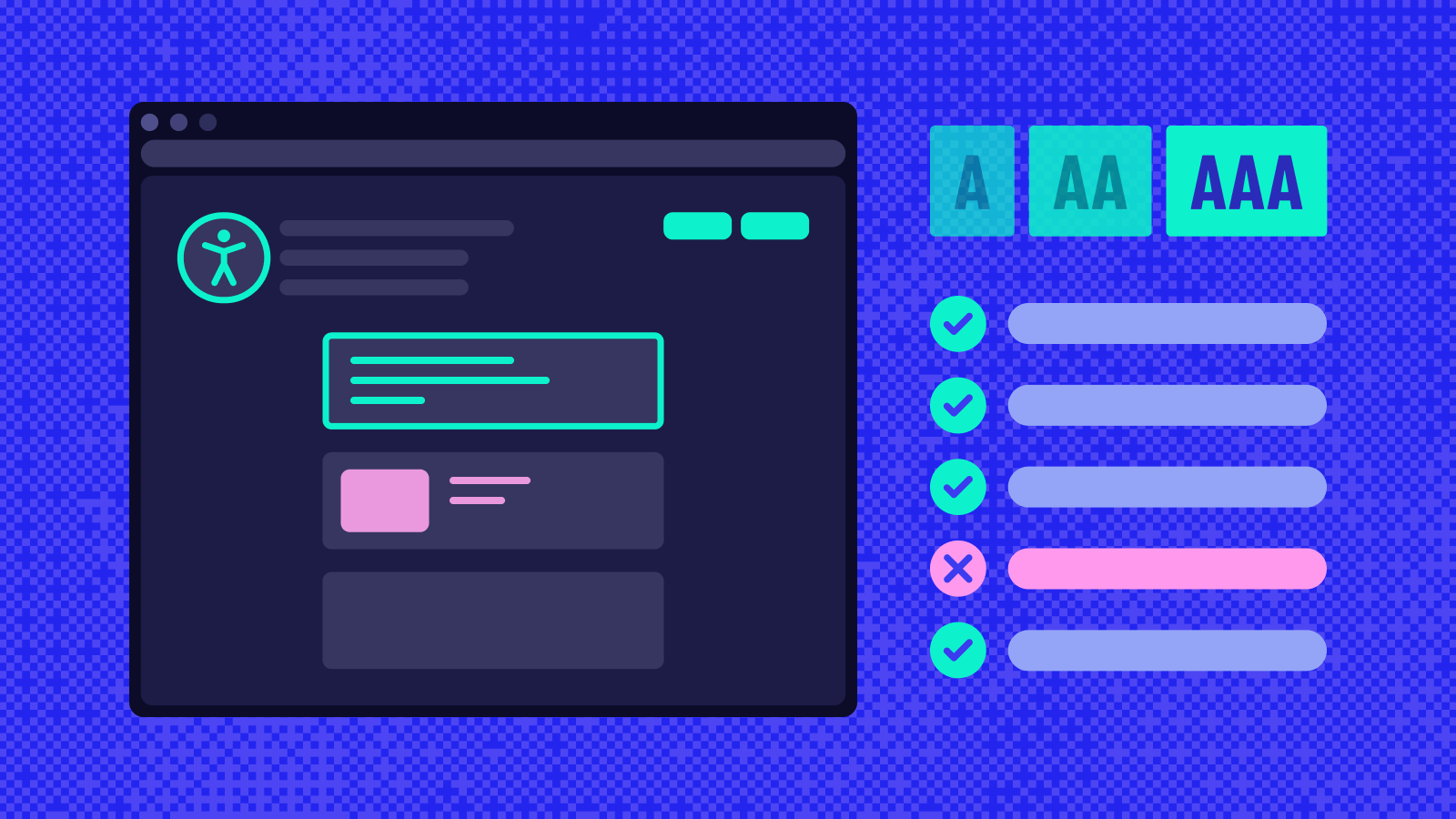
In the QA Wolf editor, you can write tests using Google Lighthouse and the Axe library to assert that pages and elements comply with WCAG success criteria, HIG, and Android Accessibility policies.

If changes to your product violate the WCAG assertions that you’ve defined, your developers get notified on the PR and a ticket is made in your issue tracker.

Accessibility testing ensures that Web Content Accessibility Guidelines (WCAG) are followed. Not doing so may impact screen readers and other accessibility aids. WCAG is the basis for all digital accessibility regulations in the US, Canada, and Europe.

Head to our Docs to learn more.